

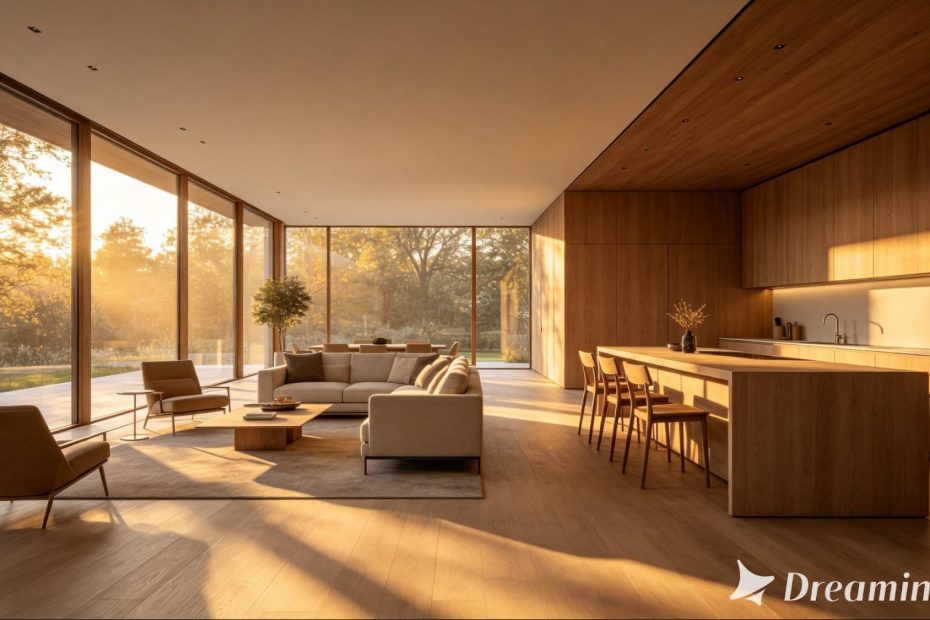
An architecture render can sell precision — clean lines, accurate proportions, a faithful preview of a building that doesn’t exist yet. What it often struggles to sell is feeling, the sense of actually standing in a space as light moves across it. With image to video technology, that gap can finally close.
A single architectural render can become a short cinematic scene that shows a building the way it will actually feel to experience, not just how it will look on paper. Dreamina, powered by its latest video-generation model, Seedance 2.5, gives architects and designers a way to bring their renders to life before a single brick is laid.
Join the PERA (Personal Entertainment Research Assistant) waitlist.
The World's Most Indispensable Movie App
The RunPee app tells you the best times to
run & pee during a movie
so you don't miss the best scenes.


Download the RunPee app.
100% free (donation supported)


A static render only tells half the story
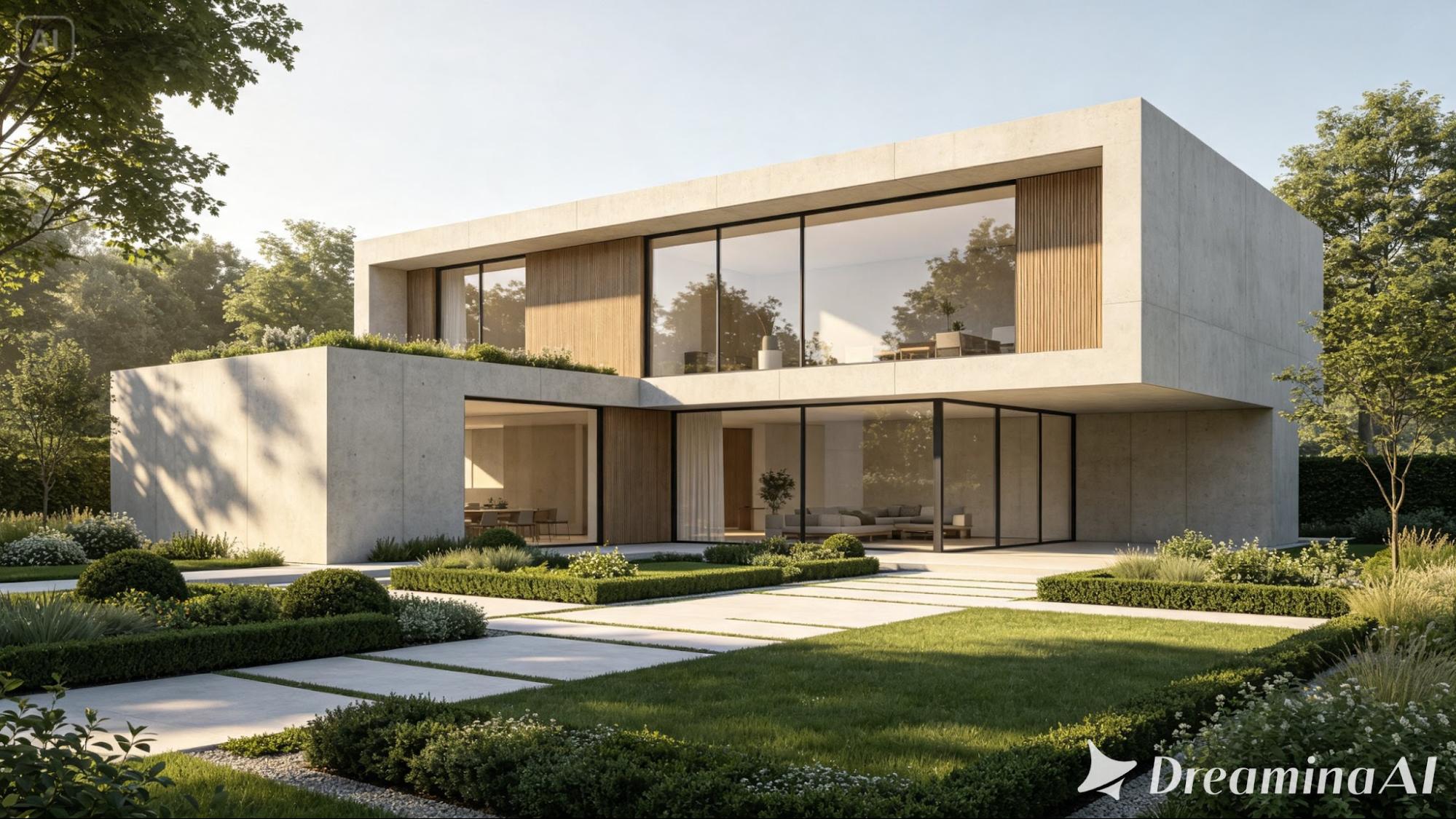
Renders are built to convince clients and stakeholders that a design works, but a still image can only communicate so much about scale, light, and atmosphere. Two people looking at the same static render can walk away with very different impressions of how a space actually feels. Motion removes much of that ambiguity, letting light travel across a facade or interior the way it genuinely would throughout a day.
Why cinematic motion changes how a design is perceived
Turning a render into a moving scene adds a few things a still image simply can’t communicate on its own:
What people are saying
about the RunPee app.

January 7, 2024
Couldn't live without this app anymore. Perfect to time my run for another glass of wine or two. Works great with my smart watch.
View all reviews
Apple App Store | Google Play Store
Download RunPee app


- A believable sense of scale as the camera moves through or around a space
- Natural light behavior, showing how a building responds to time of day
- An emotional read on atmosphere, which often influences buy-in more than technical accuracy alone
Bringing your render to life with Dreamina
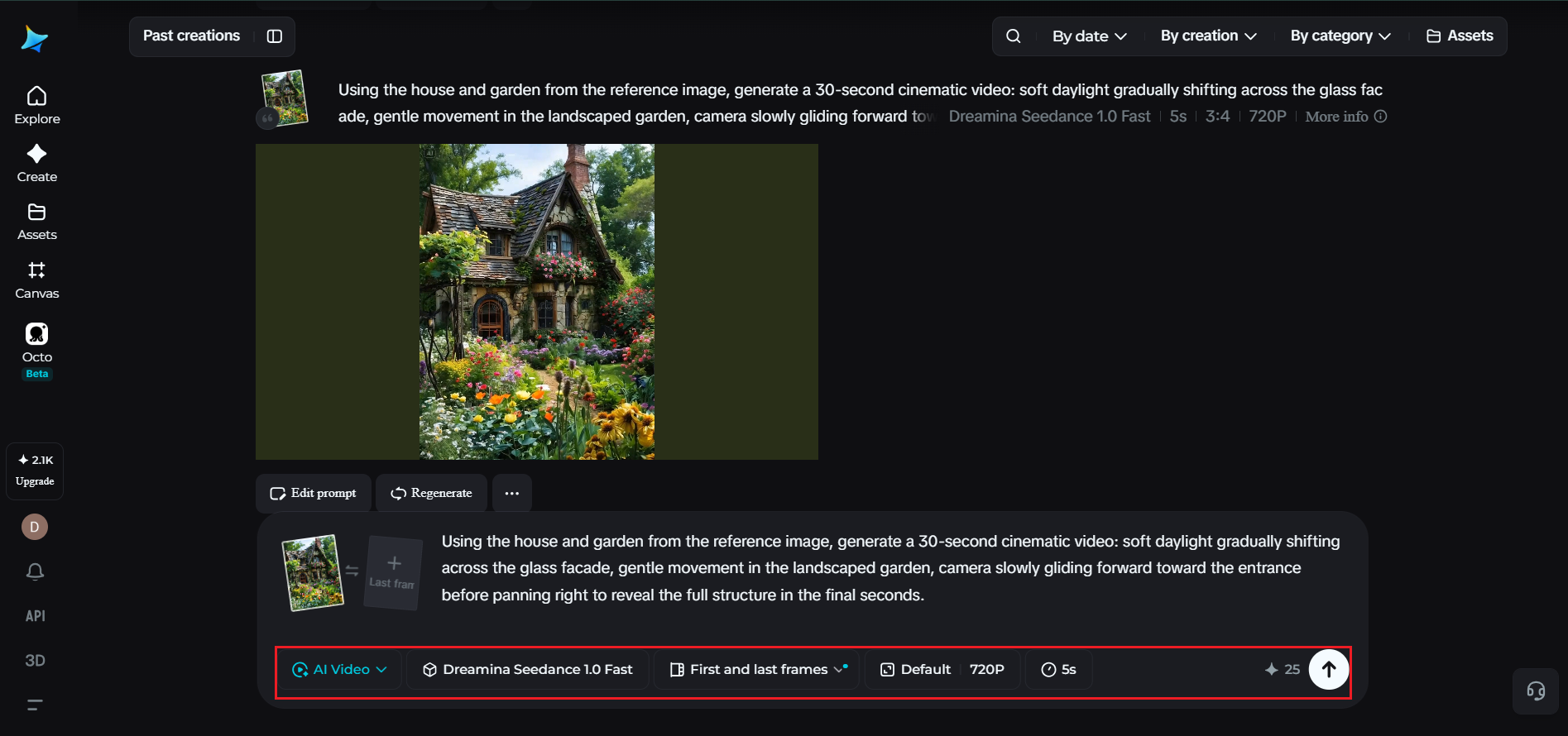
Step 1: Upload your render and describe the camera movement
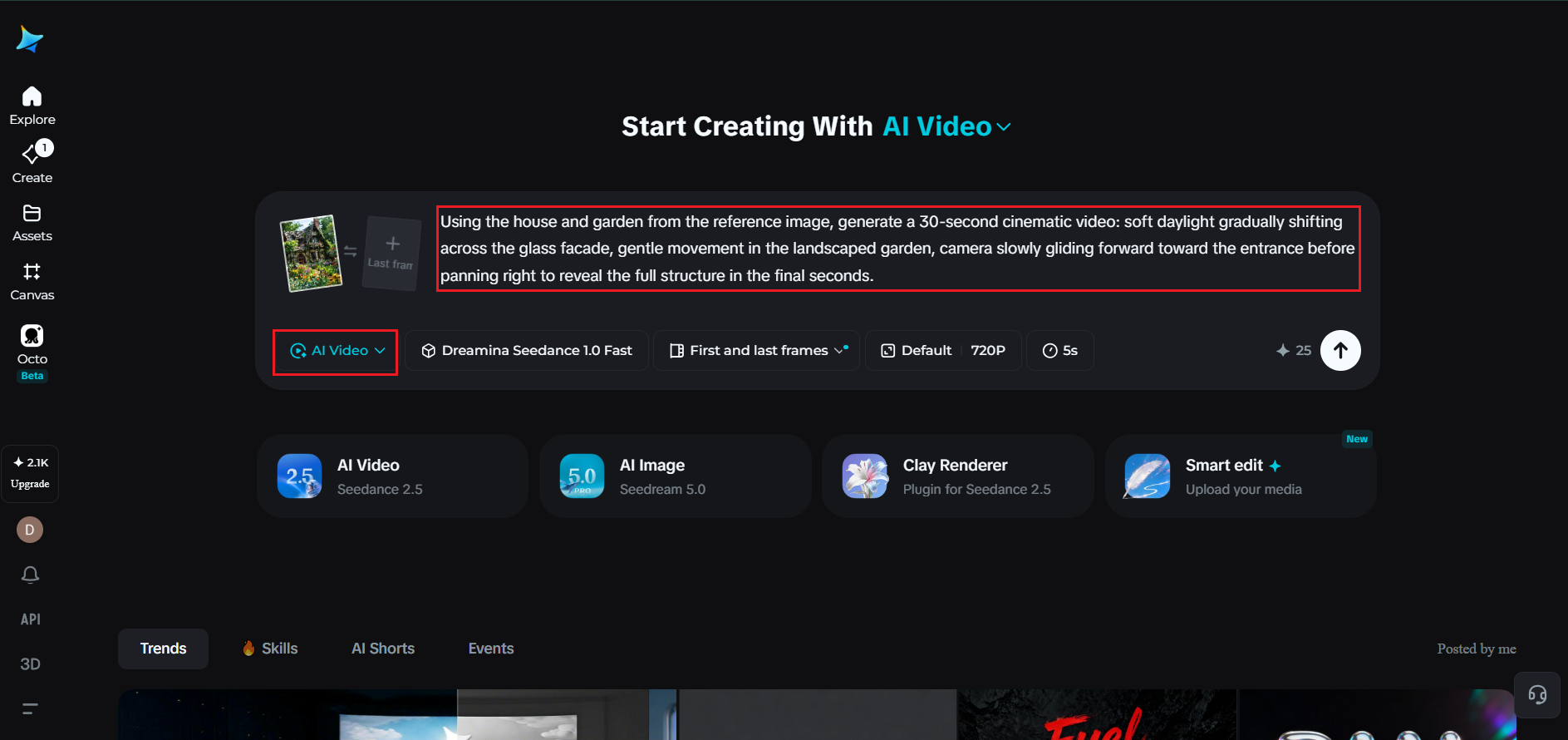
Sign in to Dreamina and open the “AI Video” section. Click “Add reference image” to upload your architectural render, then write a prompt describing the motion and lighting you want.
For a 30-second clip, try: Using the house and garden from the reference image, generate a 30-second cinematic video: soft daylight gradually shifting across the glass facade, gentle movement in the landscaped garden, camera slowly gliding forward toward the entrance before panning right to reveal the full structure in the final seconds.
Step 2: Generate the scene with Seedance 2.5
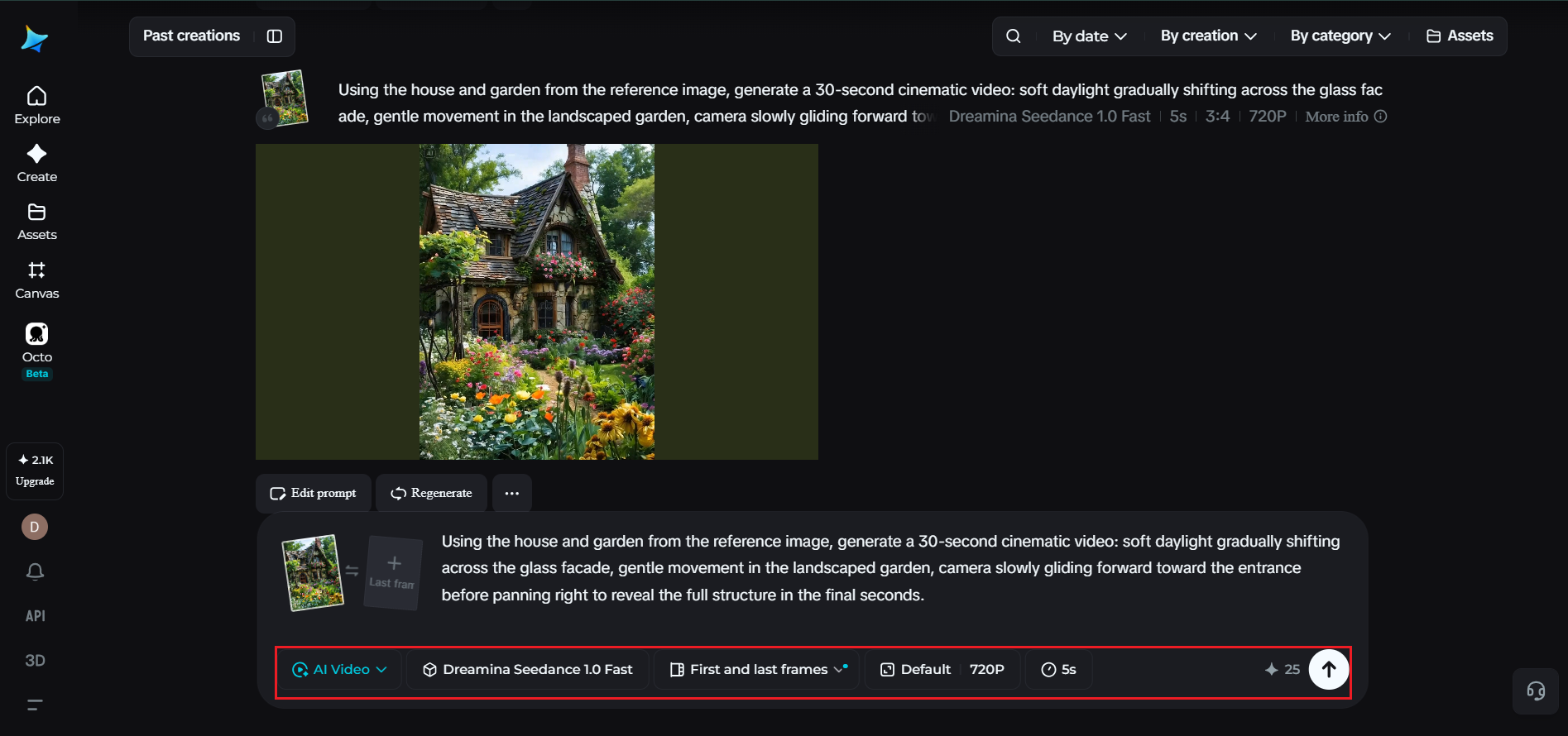
Select the Seedance 2.5 model, choose your video length, then pick an aspect ratio suited to your presentation — 16:9 for client presentations or YouTube, 9:16 for social platforms or a portfolio reel. Click Dreamina’s generate icon and let the design come to life.
Step 3: Refine and export your cinematic architectural scene
Polish the finished clip using Dreamina’s editing tools — Upscale for sharper detail across glass, concrete, and landscaping, generate a soundtrack for calm, ambient background music — then export and share it with clients or feature it in your portfolio.
Choosing which renders deserve the cinematic treatment
Not every render in a project needs to become a video. The strongest candidates tend to be hero shots — the primary exterior view, a standout interior space, a key design feature — rather than technical or detail-focused renders better suited to remaining static.
Inside Seedance 2.5: precision built for spatial accuracy
Reading complex spatial layouts
Architecture depends on precise scale and positioning, and Seedance 2.5’s ability to interpret richer references, including white model (blockout) data, is especially useful here, helping it understand depth, distance, and structural relationships more accurately than a text prompt alone could describe.
Natural light and material realism
The model has significantly reduced the artificial “AI look” that used to make generated renders feel slightly synthetic, favoring more physically believable light behavior across glass, concrete, wood, and other architectural materials.
Longer scenes for fuller walkthroughs
Native clips now support up to 30 seconds, with the “Ultra-long Video Generation (beta)” mode extending that range up to 180 seconds — enough time to move through an exterior approach and into an interior space in one continuous, cinematic sequence.
Modifying spatial perspective
Seedance 2.5 can adjust camera position based on the original render, reasonably extrapolating spatial details not present in the original image — useful for showing a building from an angle the original render didn’t fully capture.
Precise local editing
Local editing lets you remove or adjust specific elements—a, a stray object, an unfinished landscaping detail—to, to be removed or adjusted without regenerating the entire scene.
Matching mood to the building’s design intent
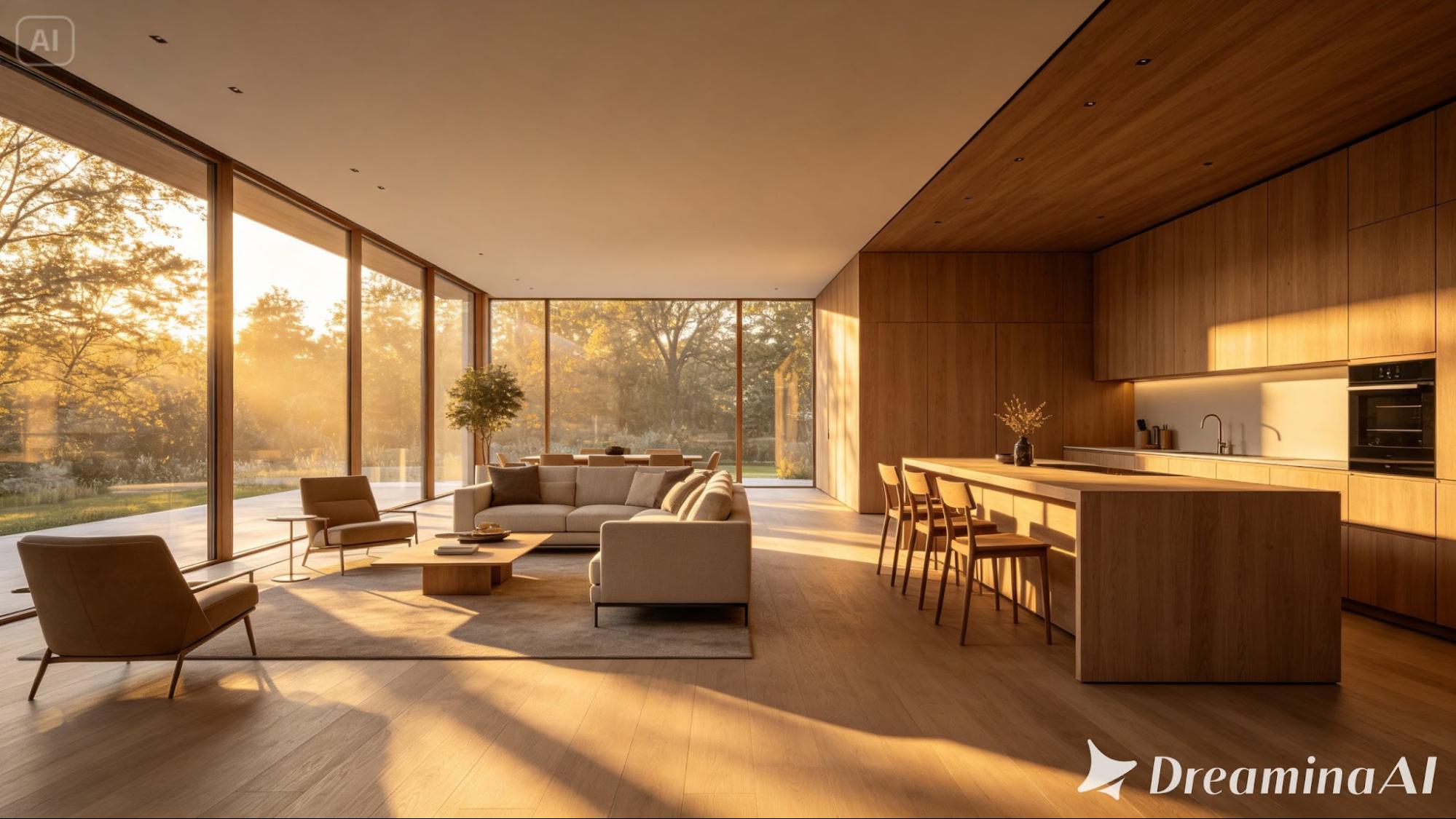
A warm residential project calls for softer, golden light and gentle camera movement, while a bold commercial or civic building may benefit from cleaner, more confident motion that emphasizes structure and scale. Naming that intended mood in your prompt helps Seedance 2.5 shape the scene to match the design’s actual character, rather than defaulting to one generic cinematic style.
Using cinematic renders throughout the design process
Animated renders aren’t only useful once a design is finalized. Early-stage cinematic previews can help clients and stakeholders understand a concept far more intuitively than a technical drawing or static render, often making feedback conversations more productive earlier in a project.
Where these cinematic architecture scenes perform best
This format works especially well for client presentations, real estate pre-sales, architecture firm portfolios, and competition submissions, where a building’s atmosphere and feel often influence decision-makers as much as its technical merits.
Final thought
An architecture render was always a promise of a future space, waiting to be felt rather than just seen. With Dreamina and the spatial precision behind Seedance 2.5, that promise can finally move, letting a design be experienced cinematically long before construction ever begins.