


How to Use PeeTimes at RunPee.com
We often get people wondering how to use RunPee app. It's really very easy to be armed with proper PeeTimes at the movie theater, and relax...knowing you won't waste your theater ticket money by leaving at inopportune moments.
Easy Steps for Using PeeTimes.
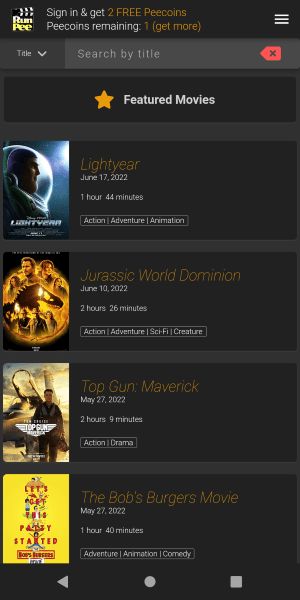 Movie screen—select the movie you plan to watch. (Download: Android | iPhone )
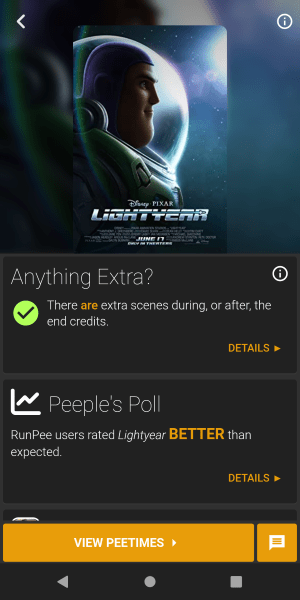 Movie Info screen—where you can find information like: is there anything extra in the end credits, the Peeple's Poll, our movie review, links for the selected movie at IMDb.com, and RottenTomatoes.com.
Tap the gold button at the bottom of the screen to view the Peetimes.
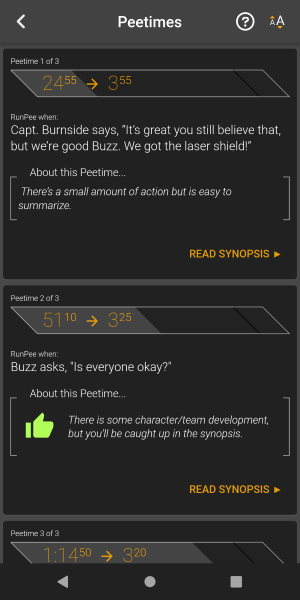 Peetimes screen— You have two options: use the built-in Timer or read the Peetime cues and select which one(s) you would like to remember.
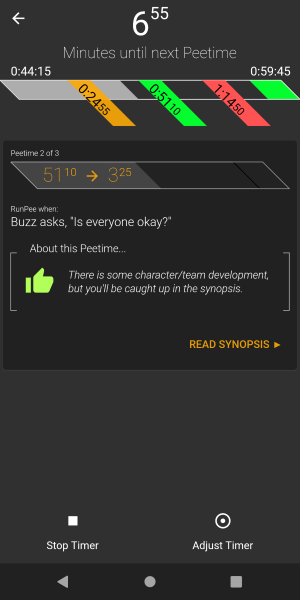 Timer screen—you'll receive a notification 30 seconds before each Peetime.
 Synopsis screen—Return to your seat, knowing that you haven't missed anything important to the plot. You're clued into what you missed. You don't have to lean over and ask anyone what is going on! Never again!
Comments
No comments yet — be the first.