


RunPee on Your Wrist
A silent buzz instead of a bright phone in a dark theater. RunPee's watch apps show you the Peetimes for the movie you're seeing, and buzz your wrist with a one-line cue before each one — no need to check your phone.
Pebble
RunPee for Pebble is an alpha release: it works, and it's early.
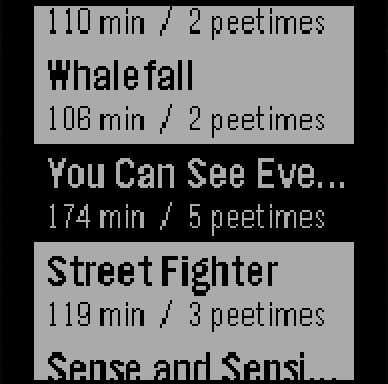
Pick your movie. RunPee shows the movies playing right now, with each one's runtime and number of Peetimes.
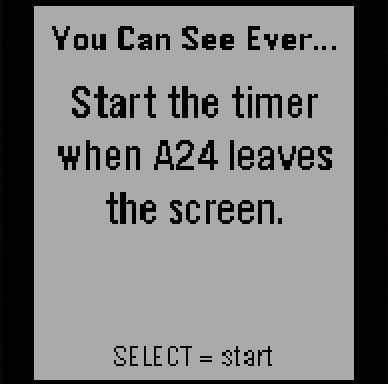
Start the timer. RunPee tells you exactly when to start it, like "Start the timer when A24 leaves the screen." Press SELECT at that moment.
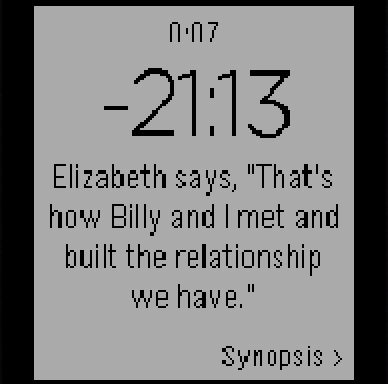
Wait for the buzz. The watch counts down to the next Peetime and buzzes your wrist 30 seconds before it, with a one-line cue so you know the moment to go.
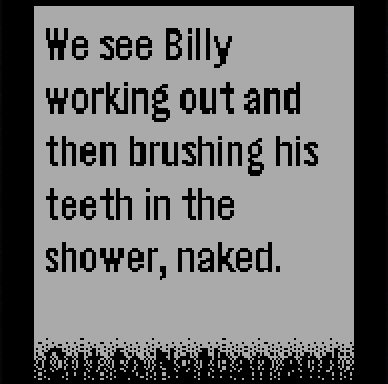
Catch up on what you missed. Press SELECT to read a synopsis of what happens while you're away.
After the last Peetime, it tells you whether there's anything after the credits, and counts down to the end.
Works on: Pebble Time, Pebble Time Round, Pebble 2, Pebble Time 2, and the new Core Devices watches. Requires the Pebble phone app (Core Devices or Rebble).
Install it
RunPee for Pebble isn't in the Pebble app store yet, so you install it from a file:
- Open this page on the phone that's paired with your Pebble.
- Tap Download RunPee.pbw below.
- Open the downloaded file and choose the Pebble app to open it with.
- The Pebble app installs RunPee on your watch. You'll find it in the watch's app list.
If your phone saves the file instead of opening it, open it from your Downloads and share it to the Pebble app. To update, install the new version over the old one the same way.
Always up to date
The watch gets the movies in theaters right now, with their Peetimes, from RunPee through your phone, so there's nothing to update when a new movie opens.
Before you go in, open RunPee on the watch once, at home or in the lobby. Your phone keeps a copy, so it still works if there's no signal inside the theater.
A note from Dan: I don't own a smartwatch myself, so I've built and tested this on an emulator. That makes your feedback especially valuable. If something doesn't work, looks wrong on your watch, or could just be better, please tell me through the feedback form in the app or at [email protected]. I'd really appreciate it.